
Adobe Lightroom is one of the most amazing image editors out there. This cloud-based service provides everything that you need to organize, improve, and share your photos from any computer or mobile device.
If you want to take your photography to the next level then this class is for you!
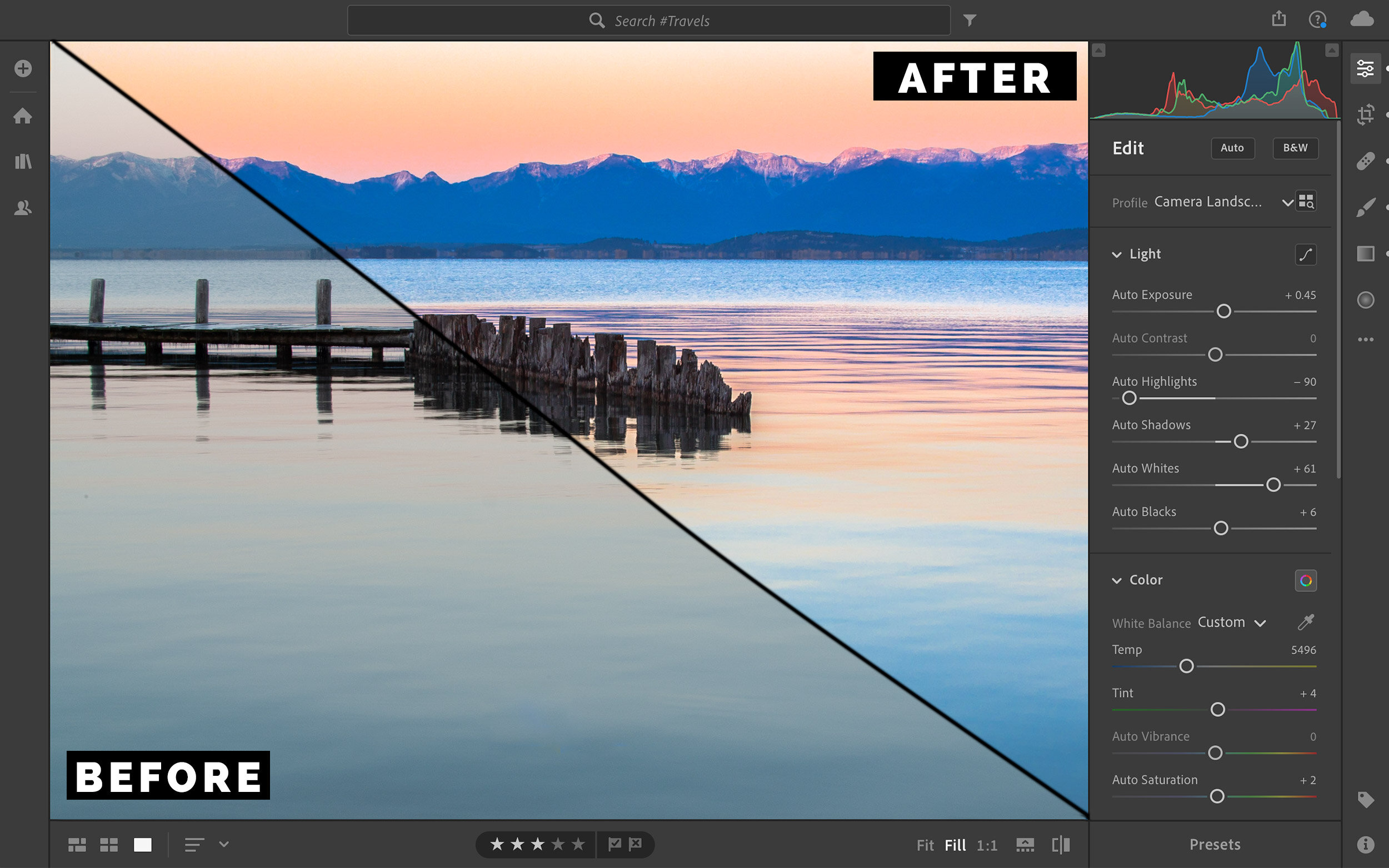
Adobe Lightroom™️ brings digital photography into the modern age. It’s the perfect tool for those who want access to all of their photos anytime, anywhere, from any internet connected device.
Lightroom is a powerful photo editor and a cloud-based image organization application. Unlike older tools, Adobe Lightroom is a truly 21st-century system that works seamlessly on laptops, desktops, tablets, and smartphones.
Lightroom is an amazing program but there is still a steep learning curve to this software. This small-group workshop will give you a solid foundation of Adobe Lightroom knowledge and greatly speed up the learning process.
In this workshop, we will show you how to create beautiful, polished images along with a streamlined web-centric workflow. With our help, you can spend more time out photographing and less time stuck in front of your computer.
Here is a sampling of what we will cover:
Organizing your digital images.
Adjusting contrast and brightness.
Cropping and straightening.
Making colors pop.
Creating stunning black & white images.
Learn about the advantages of cloud storage for your photography.
Easily find your favorite images using Adobe Lightroom’s AI search features.
Learn how to share your favorite photos at lightroom.adobe.com and on social media.
Learn how to work with your full-resolution photos from any smartphone, tablet, or computer anywhere in the world.
Who are the instructors?
This course is being co-taught by two instructors who are passionate about teaching others how to create beautiful images. Sarah and David are both Adobe Certified Experts in Lightroom and they look forward to helping you take your photo editing skills to the next level.

WHO IS THIS CLASS FOR?
This class is for anyone who wants to become more comfortable with Adobe Lightroom™️. Whether you're a complete beginner, or have some experience with the program, this workshop is loaded with helpful tips and photo editing tricks.
**Note that we will be teaching the latest cloud-based version of Adobe Lightroom only in this workshop. If you are currently using Adobe Photoshop Lightroom Classic and would like to switch over to Adobe Lightroom (cloud-based) before this workshop please give us a call prior to registering.
Equipment Needed:
Students should bring their own laptop with Adobe Lightroom installed. Trial versions of the software can be downloaded at Adobe's website here. Let us know if you need help installing the software, and we're happy to provide assistance.
Basic computer knowledge and comfort operating a trackpad or mouse will be very helpful for this class.
pricing, Registration, & Logistics:
Cost: $450 per person.
Location:
Grouse Mountain Lodge
2 Fairway Dr
Whitefish, MT 59937
Upper Glacier Classroom
Click here for the location on Google Maps
Lodging: If you are traveling from out of town, we have a block of rooms on hold at a discounted rate at the Grouse Mountain Lodge. To make a reservation, please call 406-892-2525 and mention that you are with the Glacier Photo Guides group to receive the discounted rate.
Times:
Friday, May 8th: 9:00am to 4:30pm
Saturday, May 9th: 9:00am to 4:30pm
Important Note: Adobe has made some changes in recent years and there are now two different products with very similar names. In this workshop, we will be teaching Adobe Lightroom only. This workshop is not intended for Adobe Photoshop Lightroom Classic users. Please contact us using the form below if you have any questions or need additional clarification.
A deposit is required to reserve your space in the workshop. The remaining balance is due 90 days before the start of this program. Please click here for our full cancellation and refund policy.
If you have questions about this workshop, please get in touch using the form below and we’ll be happy to help!